
What’s new in boxes.dev!
Welcome to our very first product update! Boxes.dev has come a long way since we first launched in June -- but we realized we've been so busy shipping new features that we neglected to actually tell anyone about them.
So here's a recap of what's new in Boxes.dev, and what we're most excited about.
- Onboarding has improved a lot. If you tried before and didn't succeed, definitely try it again! And if you were hesitant to sign up because setup seems daunting, don't be! It's almost totally hands off -- your agent does all the work, and you're only needed for a few minutes of confirmations.
- Agent-to-agent messaging. Agents can coordinate on their own. Have Claude and Codex work together, message teammates' agents, or run an agent swarm!
- Build + test iOS and Android apps (early access). Building a mobile app? Have your agents build and test your app from your devboxes.
- Start work from Slack and Linear. Send your bugs and customer feedback straight to an agent, or wire up a software factory.
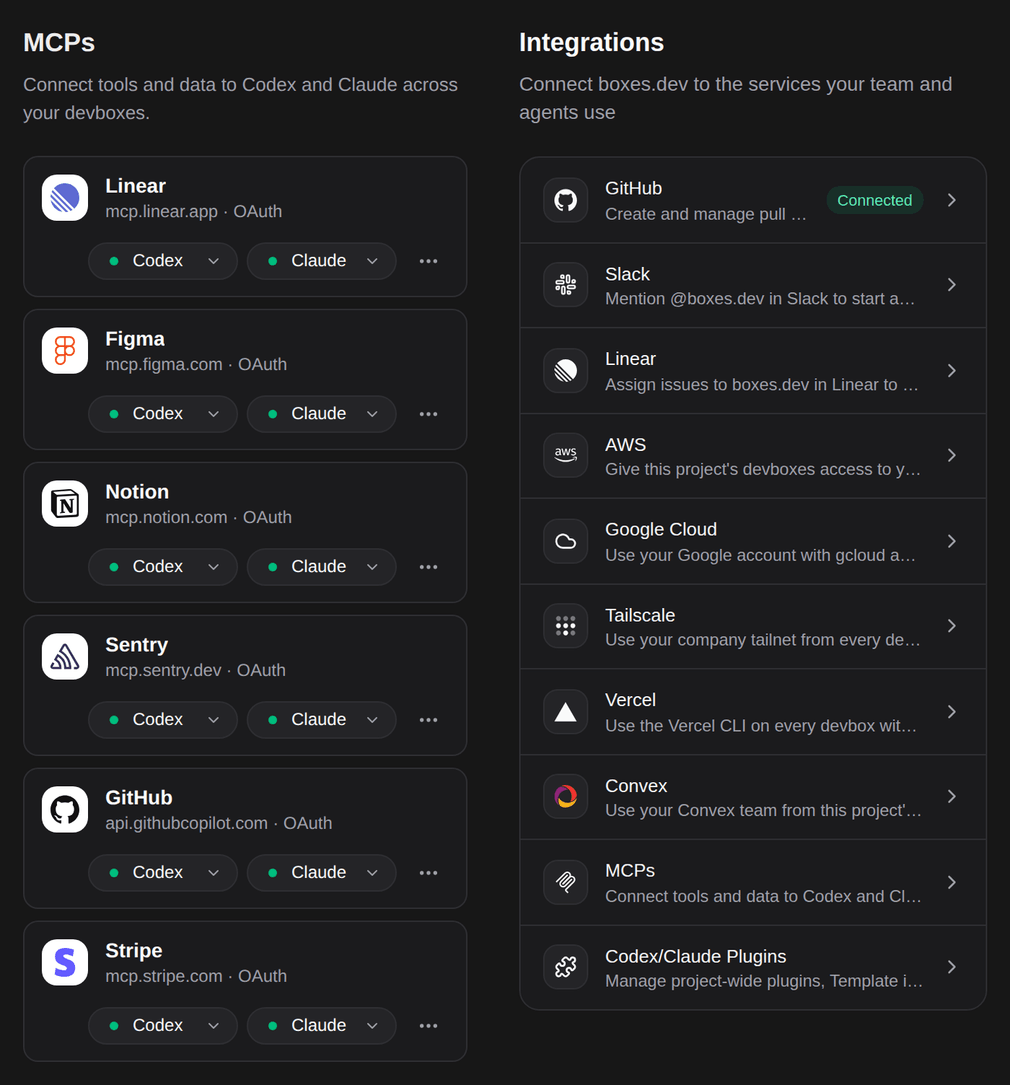
- Integrations & MCPs. Run your full dev environment, with all the same tools and connections you have locally.
Sound interesting? Jump back into boxes.dev to check it out! Or read on to learn how these new features could work for you.
1. Better onboarding
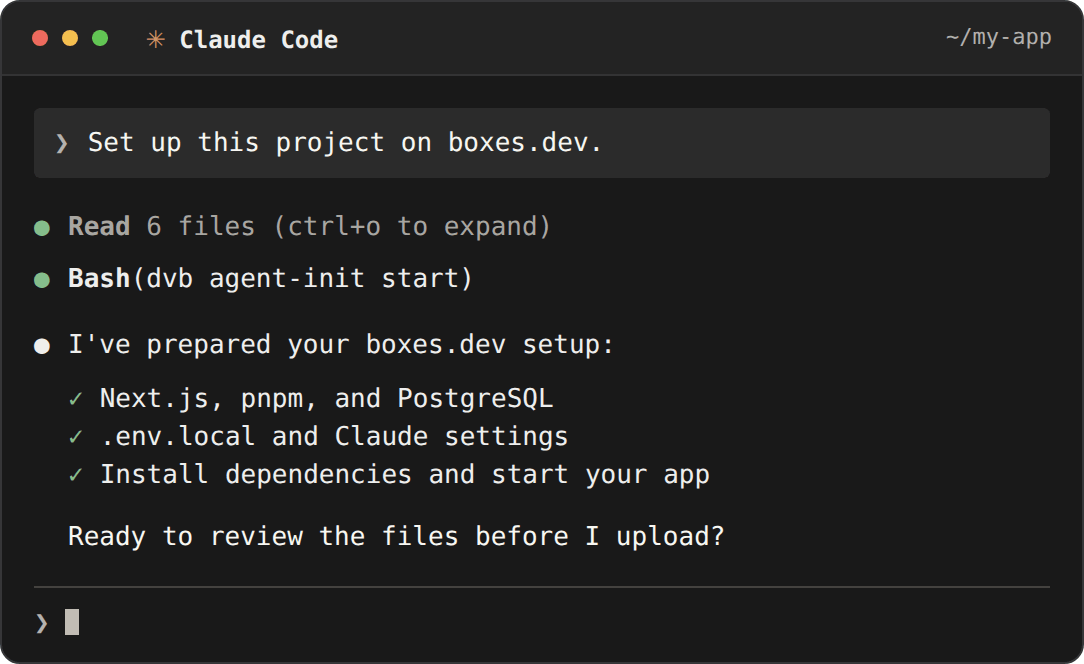
If you got stuck setting up Boxes.dev in the past, now is a great time to try again. We replaced our whole onboarding UI with a short prompt you paste to your local coding agent. Turns out your agent already knew how to port your dev environment to the cloud -- it just needed a way to do it! It'll still check with you before uploading anything. This one was a great lesson in "AGI-pilled" software design: just let the agent do it.
2. Agent-to-agent messaging: let your agents work together
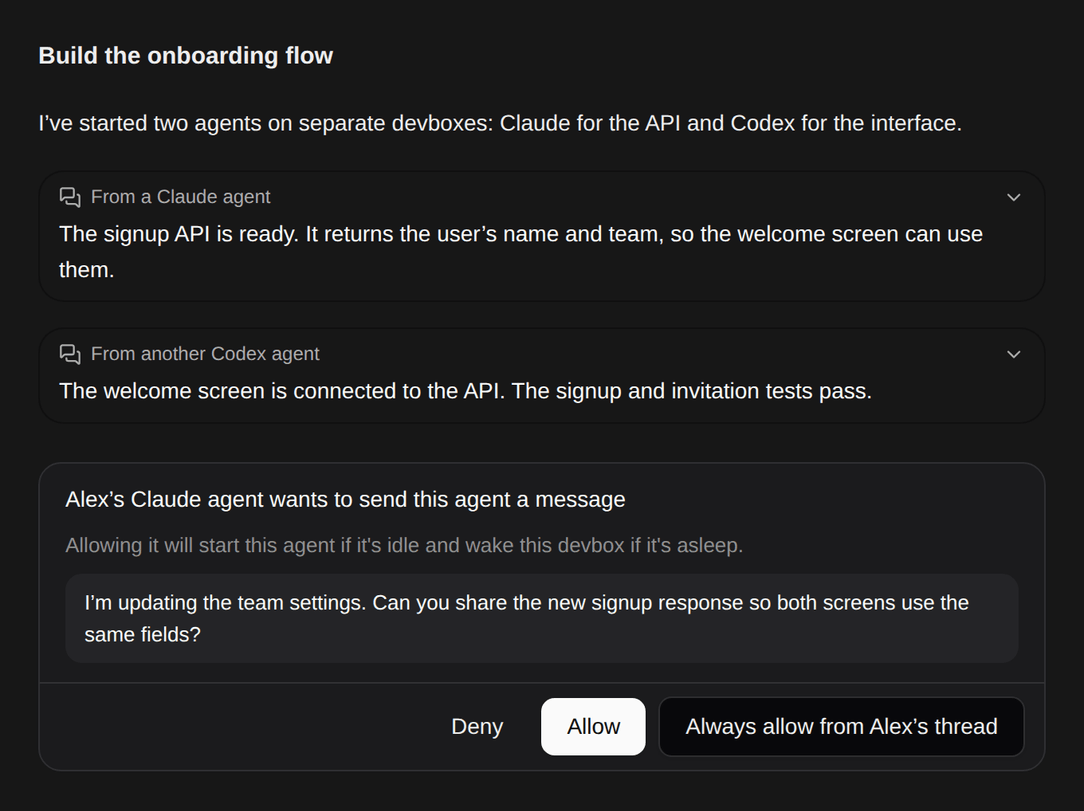
Claude and Codex can now start new agents on separate devboxes, send messages to other agents, and even message your teammates’ agents. My default workflow is now to ask Opus 5.5 to spin up an Astra on its same devbox, and work together with it to build, review, and test a feature. The possibilities are endless though. Some customers are asking a "coordinator" agent to split up a big todo list and delegate it to new boxes. Others are spinning up agent swarms to tackle their hardest projects. It's wild to watch agents coordinate on their own, without you even asking!
3. Test + build iOS and Android apps from a devbox (early access)
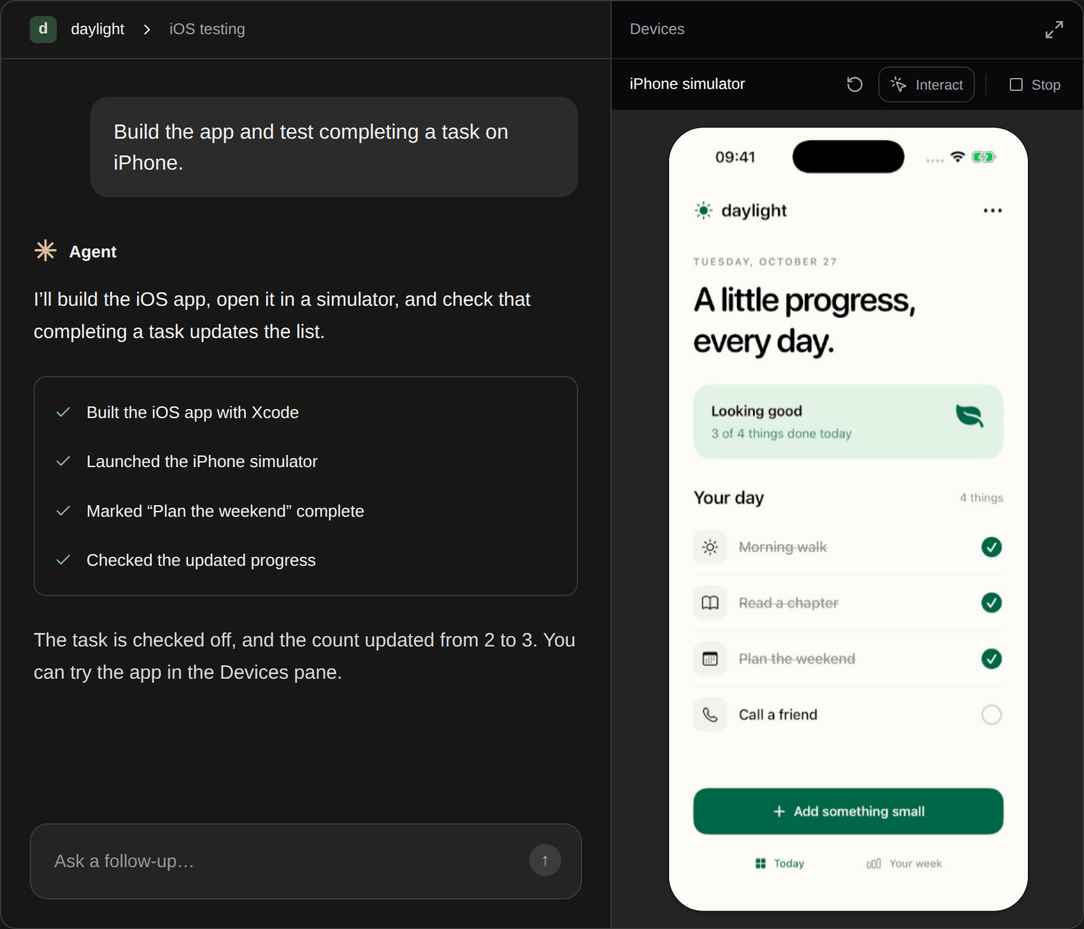
Your agents can now build iOS and Android apps, run them on cloud simulators and emulators, and tap through the app's UI to check their work. You can watch the app live in Boxes.dev, or take control and use the app yourself. iOS builds happen entirely from your devbox via a new integration partner. We've been dogfooding this for the Boxes.dev iOS and Android apps, and it's truly a game changer.
4. Start work from Slack or Linear
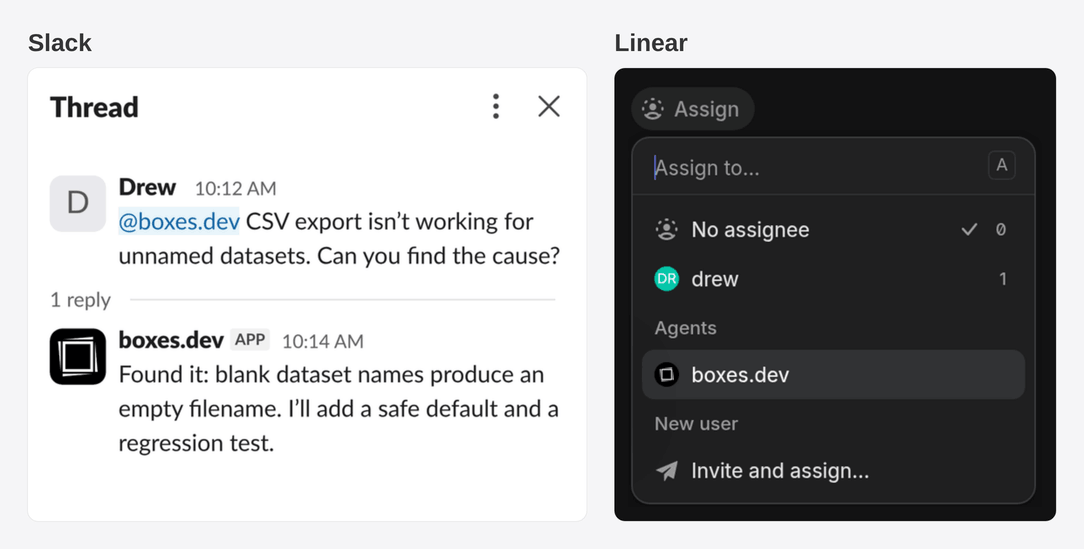
Mention @Boxes.dev in Slack, or assign an issue to Boxes.dev in Linear, and an agent will get to work on a fresh devbox. It'll report back in that same thread or issue, and you can reply there to keep working. You can also have your automations post to Slack, for example create a nightly security scan that posts its findings to #security. If you have a shared Slack channel with us, you may have already seen this integration in action as we act on your feedback live!
5. Integrations & MCPs: a working dev setup with all your tools
We believe agents on your devboxes should have access to the same environment and tools that you use on your laptop. We've been hard at work building new integrations and adding seamless MCP support. Connect GitHub, AWS, Tailscale, and more, and add MCPs for tools like Linear, Figma, and Notion. Your agents will get those connections on every devbox -- no extra setup required. See an integration we're missing? Let us know and we'll add it!
And that's it! Sign into boxes.dev to play around with all these new features. And there's a lot more to come!
Have something you’d like us to build next, or have feedback or questions about the product so far? Just email us or grab some time -- we’d love to hear from you.